
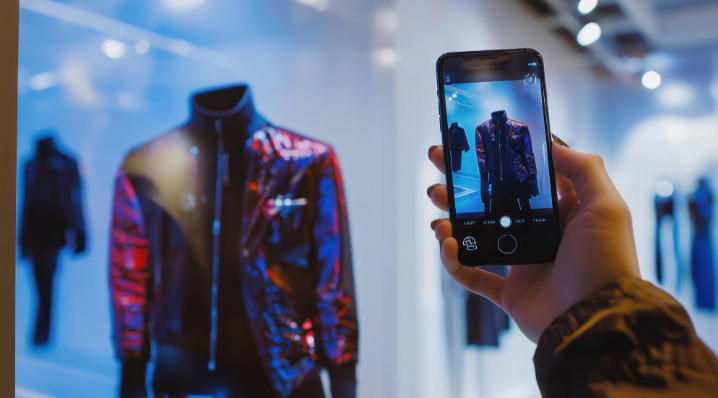
Phone Cameras Became Shopping Tools and Betting Apps Followed
Your phone camera does more shopping than you do. That sounds like an exaggeration but the numbers back it up. Google Lens handles 20 billion visual searches every month. Circle to Search got used weekly by a third of people who tried it in its first year. If you use your phone for entertainment through the 1xbet app or any other mobile platform, you already know how much of daily life runs through your screen. Shopping caught up in 2026, and the camera drove it.
Google Lens Connects to 45 Billion Product Listings
Point your camera at a pair of shoes. Lens identifies them and shows you the price at different stores. It pulls up reviews too and flags active sales. The tech behind it connects to Google’s Shopping Graph, which has over 45 billion product listings indexed. That number grew by roughly 10 billion in two years.
Speed is what made Lens useful this year. It used to feel like a novelty. Scan something, wait, get a list of vaguely similar items. In 2026, the results are specific. You aim your camera at a lamp in a cafe and get the exact model with the manufacturer’s page. Stores selling it pop up with their prices side by side. The accuracy jumped after Google integrated its Gemini 3 model into the visual search pipeline earlier this year.
You can also combine text and images now. Take a photo of a brown leather jacket and type “but in black” and Lens returns black leather jackets with a similar cut. Nobody was doing that two years ago.
Circle to Search Identifies Full Outfits Without Leaving Your App
Circle to Search launched as a way to search anything on your screen by drawing a circle around it. Long-press the home button, scribble around the thing you want to find, done. In 2026, it got a major upgrade. The February update powered by Gemini 3 lets it recognize multiple items in the same image at once. You circle an entire outfit and get results for each piece separately.
| Feature | What It Does | Devices |
| Google Lens | Camera-based product search, price comparison | All Android, iOS |
| Circle to Search | On-screen product identification in any app | Android 14+ |
| Multi-object search | Identifies full outfits from one circle | Android 14+ with Gemini 3 |
| Virtual try-on | See how clothes look on you digitally | Galaxy S26, Pixel 10 |
| Barcode scanning | Product info, price matching, manual lookup | All Android, iOS |
Shopping is the number one use case for Circle to Search according to Google. The feature works while you’re scrolling social media, watching videos, or browsing any website. You see a bag in someone’s post, circle it, and find where to buy it without typing a single word.
If you explore apps on your phone regularly and want to download 1xbet apk or try other mobile services, you’ve probably noticed that visual-first design is becoming standard across every category. Shopping apps were just the first ones to go all in on it.
AR Try-On Lives Inside Search Results Now
Virtual try-on existed before 2026. Retail apps let you see how glasses or shoes looked on you. But the feature lived inside individual product pages. You had to find the item first, open the listing, and then try it on. The 2026 change put try-on inside Circle to Search itself. You circle a dress on your screen, tap “Find the look,” and then tap “Try On” right there. No app switching. No product page. Two taps between liking something and seeing it on you.
Currently available on Galaxy S26 and Pixel 10 in supported regions. More devices expected later this year.
Barcode Scanning Got Smarter Too
Scanning a barcode with your camera pulls up the product name, specifications, price at multiple stores, and even manuals or support documents. Lens handles this natively. No third-party app needed. You walk into a store, scan a product you’re considering, and see instantly if it’s cheaper online or at a different location.
The price comparison feature cross-references across retailers in real time. Lens does all of this natively. No extra app to install, no manual searching. You scan the label while standing in the store and the pricing data loads faster than you can read the product description.